

Integration
Embed Calendly in your Bubble.io app in 5 mins
Embedding a Calendly form in your Bubble takes less than 5 mins. No plugins required.
Himanshu Sharma · ·2 min read

You can embed the entire base if you have some data in Airtable that you’d like to display in your Bubble.io app. And the result looks better than what we can achieve by pulling Airtable data into Bubble and displaying the same in a repeating group. The whole process takes less than 5 minutes.
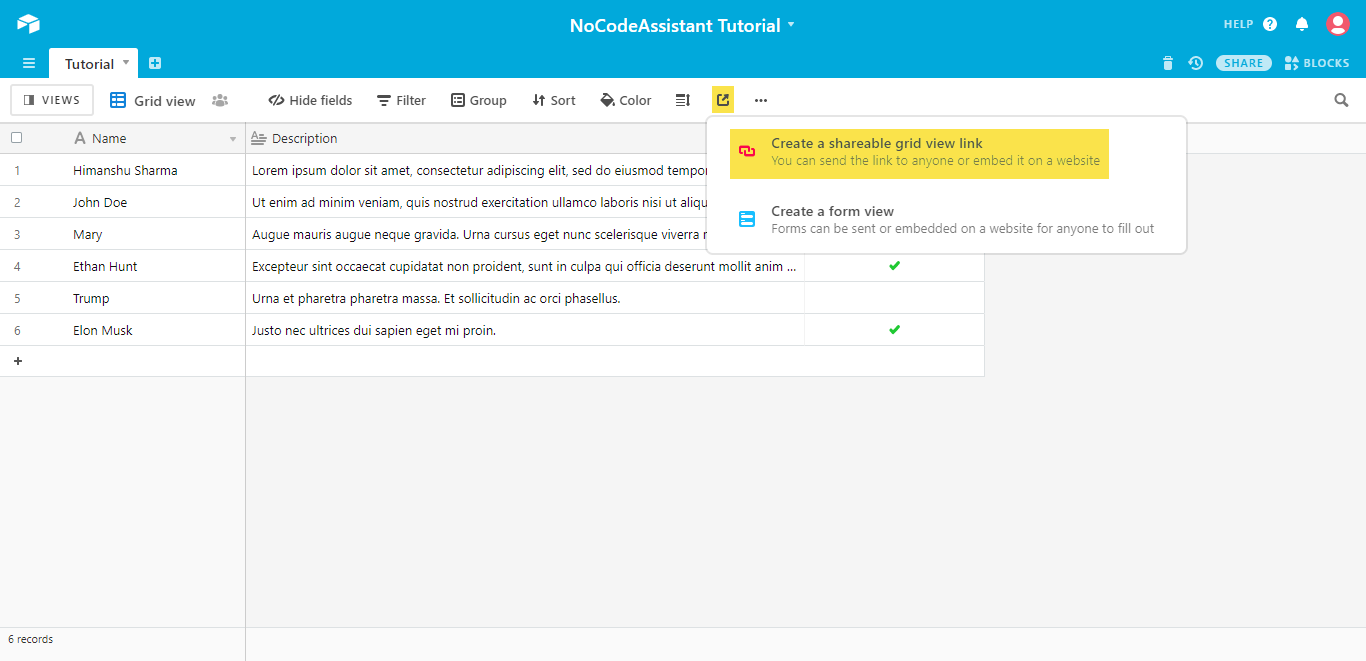
The first thing you need to do is get the embed code from Airtable. For this, click on share and then create a shareable view link.
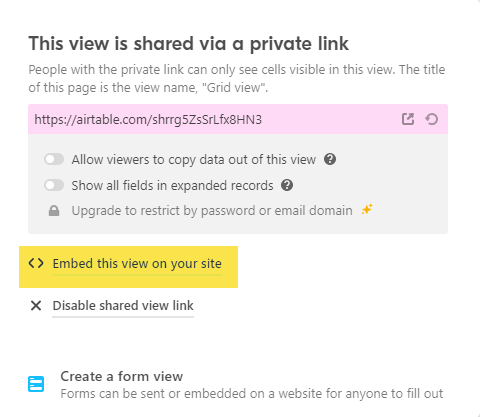
Then select the option to embed this view on your site after making any changes if you’d like to the settings.
This will open a new tab where you can see your data and the embed code if you’d notice that the embed code is using iFrame. This means that we’d need to display the data in an iframe.
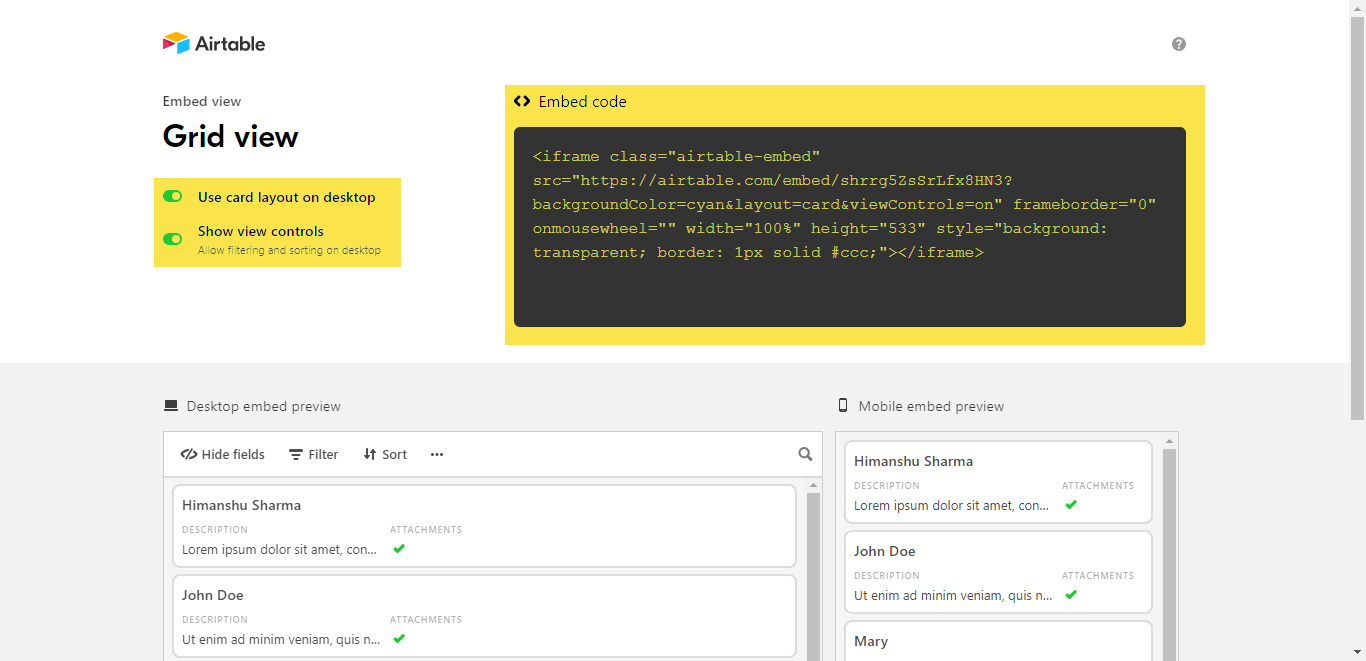
Copy the embed code mentioned in the black box. This code will change if you change the grid view settings. However, don’t worry if you modify any entry in your Airtable base. All the changes will reflect in your Bubble app as well.
Drag the HTML element, which will be under the Visual Elements tab on the left and resize it according to your requirements. Then paste your embed code in the component and check the Display as an iFrame checkbox.
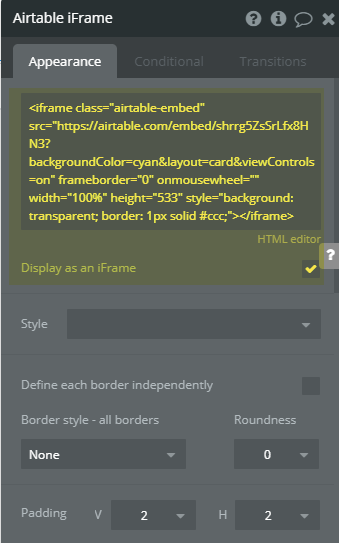
Once you do that, preview the app to see the Airtable base embedded in your Bubble web app.
Bookmark
How to connect Airtable with Bubble.io
This tutorial covers the steps to connect Airtable and perform operations on your Airtable data with Bubble.
Preview- https://nocodeassistant-tutorials.bubbleapps.io/version-test/airtable
Editor- https://bubble.io/page?type=page&name=airtable&id=nocodeassistant-tutorials&tab=tabs-1
If you need some help with your Bubble app or a team of Bubble developers to build a Bubble app for you, reach out to me at [email protected]. You can also follow me on Twitter.
Continue reading
Embedding a Calendly form in your Bubble takes less than 5 mins. No plugins required.
PayPal Checkout plugin by Copilot will allow you to accept payments in your Bubble.io app.
What are Popups, Floating Groups, Group Focus, Repeating Groups and Groups? Where and how should you use them?